![FullColor-800px-Aug-04-2025-07-56-16-5066-PM.png]](https://help.agileblue.com/hs-fs/hubfs/FullColor-800px-Aug-04-2025-07-56-16-5066-PM.png?height=32&name=FullColor-800px-Aug-04-2025-07-56-16-5066-PM.png)
The AgileBlue SecOps leverages hundreds of possible attack indicators to detect potentially malicious activity in your environment. These attack indicators – also known as rules in our platform – are used to build security cases.
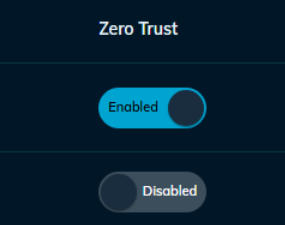
AgileBlue users can set any specific rule to be labeled as Zero Trust. Any time a Zero Trust Rule triggers an alert in that environment, the corresponding case will automatically be escalated, ensuring the fastest notification possible. This system allows customers to ensure specific events that are critical to their team for any reason quickly reach their inbox or ticketing system.
Designate Zero Trust Rules
-
Log in to the AgileBlue Portal and navigate to Attack Indicators
- Scroll to or search for the rule you intend to label as Zero Trust
- Toggle the Zero Trust switch so that it reads Enabled
Need Help?
AgileBlue is always here to support you and ensure you are 100% successful. If there are any issues with the installation or if you have any questions, please reach out to AgileBlue Support.
Email: support@agileblue.com
Phone: (216) 606-9400🚨